
Quick Summary
Key Features
- Non-custodial stablecoin wallet
- 100M+ merchant acceptance
- No card maintenance fee
- ATM: 2% + $3
Main Advantages
- Broad coverage — available across 9 regions
Notable Limitations
- Paid issuance: $10
- Terms change often — the provider's live numbers are final
The cards
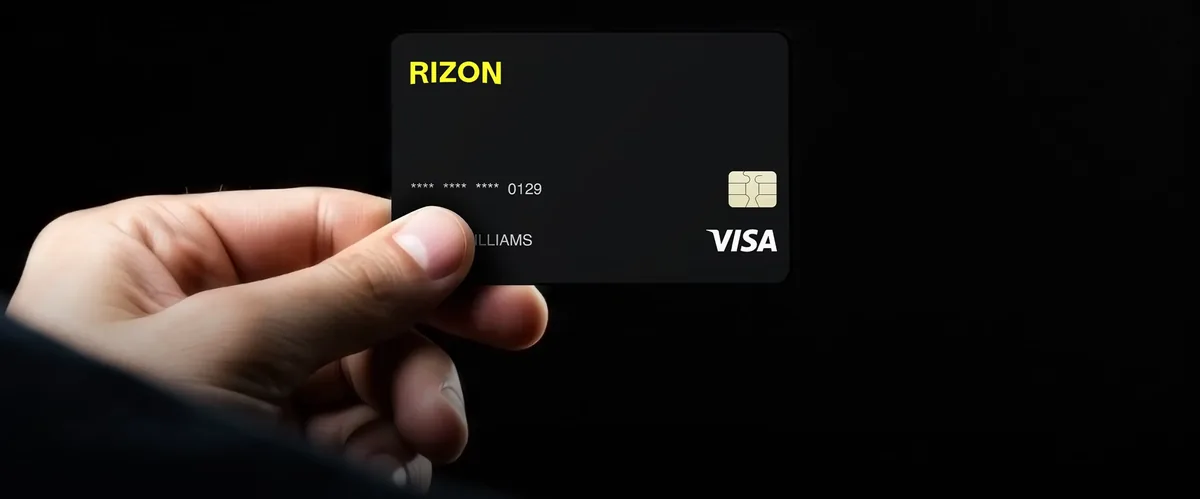
Every format Rizon issues — pick the one that fits how you spend.
1Can I get this card?
Supported Countries Map — powered by our availability data.
Rizon: Reported in 84 countries across 9 regions (United States, United Kingdom, Europe, Middle East, Africa, India, Pakistan, Asia-Pacific, Latin America).
Coverage reported by the provider — the exact applicant list is confirmed in-app.
2What does it cost?
Every fee we could verify for the Rizon card.
Fees verified October 13, 2026 from public web sources. Fees change often — always confirm the app's live numbers before signing up. This page is for information only, not financial advice.
| Fee | Rizon |
|---|---|
| Issuance fee | $10 |
| Monthly fee | $0 |
| FX fee | Varies by region — confirm in-app |
3What do I get?
Perks, rewards and capabilities that come with the card.
| Category | Benefit |
|---|---|
| Mobile wallets | Non-custodial stablecoin wallet |
| Perks | 100M+ merchant acceptance |
| Perks | No card maintenance fee |
| Cash access | ATM: 2% + $3 |
4What do they need from me?
What you will have to provide or meet to get and use the card.
| Requirement | What it means |
|---|---|
| Identity check | ID verification required — verify your identity in the app before ordering |
| Funding | You will need a way to load the card: USDC, USDT |
| Age | You must be 18 or older to apply |
What is Rizon?
Rizon is a self-custodial stablecoin Visa card that launched in 2025. The "self-custodial" part is the whole point: unlike most crypto cards, where you deposit funds into a company's custodial wallet, Rizon lets you hold your own keys. Your USDC or USDT stays under your control, and the card draws from your balance at the moment of purchase. For crypto natives who live by "not your keys, not your coins," this is a meaningful structural difference — there is no exchange or card issuer holding your funds between top-up and spend.
On top of that foundation, Rizon stacks genuinely competitive economics: the first virtual card is free according to the official FAQ, there is no monthly or maintenance fee, and eligible purchases earn 2.5% cashback. Apple Pay and Google Pay are supported, so the virtual card works for contactless in-store payments as well as online checkouts. It is a young product — the physical card is still rolling out — but the virtual offering is already complete enough for everyday use.
The trade-offs are what you would expect from a 2025-era startup. KYC requires a passport and is limited to 49 nationalities, which excludes some users. Non-USD purchases carry an FX fee of about 1.7% plus $0.10. And as a young app, it lacks the long track record of bigger issuers. But for the core audience — people who hold stablecoins and want to spend them without surrendering custody — Rizon is one of the most interesting options available in 2026.
Card types offered
Rizon's headline product is the virtual Visa card. Your first virtual card is free per the official FAQ at getrizon.com — a genuine zero-cost entry point that is rare in this market. Additional virtual cards cost $20 each according to official sources (older third-party sources cite $10, so verify the app's live number before ordering extras). Multiple cards let you separate spending the way power users like: one number for subscriptions, another for travel bookings, another for ad spend.
The physical Visa card is still rolling out, so if you need plastic for ATMs or in-person payments where mobile wallets are not accepted, Rizon may not yet serve you — check current availability in the app. The virtual card itself is full-featured: it works anywhere Visa is accepted online, and via Apple Pay or Google Pay it covers contactless terminals too. Standard virtual-card controls apply — freeze, unfreeze, and replace the number if compromised.
Under the hood, every card is tied to your self-custodied stablecoin balance rather than a prefunded fiat account. You spend USDC or USDT directly, which means no separate "convert to fiat then spend" step and no conversion spread on USD purchases. It also means your spending power moves with your deposits in real time — top up on Solana and the balance is spendable within minutes.
Fees explained
Rizon's fee schedule is refreshingly short. The costs that exist are concentrated in one place: foreign-currency spending.
Card issuance fee
The first virtual card is free according to Rizon's official FAQ. Extra virtual cards are $20 each per official sources, though older third-party coverage cites $10 — this is exactly the kind of number to verify in the app before ordering. Either way, the entry cost is zero, which makes trying Rizon a low-risk proposition.
Monthly fee
There is no monthly or maintenance fee. The card costs nothing to hold, which compares favorably against competitors charging $1/month or annual fees near $30. Combined with free first-card issuance, Rizon is one of the cheapest cards to simply own in this roundup.
FX / conversion fee
Non-USD purchases carry a fee of approximately 1.7% plus $0.10 per transaction. USD spending — the card's native currency — has no conversion fee. The 1.7% is in line with typical card-network foreign transaction fees, but it is worth noting because several competitors in this space now offer 0% FX. If most of your spending is in USD, you will never pay it; if you spend heavily in other currencies, factor it into your comparison.
Top-up fees
There is no Rizon-side top-up fee. You pay only the blockchain network fee to move USDC or USDT into the app. This is where the multi-chain support matters: depositing on Solana, Base, or Polygon costs cents, while Ethereum mainnet can cost several dollars per transaction. Choose a cheap network for routine top-ups and save mainnet for large, infrequent moves.
ATM fees
With the physical card still rolling out, ATM functionality is not yet a settled part of the offering. Virtual-card users should assume no cash access for now and verify ATM terms in the app once physical cards reach their market.
How to get a Rizon card
- Check eligibility. Rizon KYC currently supports 49 nationalities and requires a passport — no national ID cards or driver's licenses. Confirm your nationality is supported.
- Download the Rizon app and create your account.
- Complete passport KYC. Submit your passport and a selfie; approval times vary.
- Set up your self-custodial wallet in the app and securely back up your recovery phrase. This is the "self-custody" part — losing the phrase means losing access, so store it offline.
- Deposit USDC or USDT on any supported network: Solana, Arbitrum, Avalanche, Optimism, Polygon, Base, or Ethereum. Pick a low-fee network for smaller top-ups.
- Claim your free first virtual card in the app — per the official FAQ, issuance is free. Add it to Apple Pay or Google Pay and start spending.
- Verify the extra-card fee in the app ($20 vs. the older $10 figure cited by third parties) before ordering additional virtual cards.
Top-up methods
Rizon is funded purely with stablecoins: USDC or USDT, deposited from any external wallet or exchange. Seven networks are supported — Solana, Arbitrum, Avalanche, Optimism, Polygon, Base, and Ethereum — which is broader multi-chain coverage than most competitors offer. In practice, this means you can top up from wherever your funds already live without bridging first.
Because there is no Rizon-side top-up fee, the only cost is the network gas fee, and network choice is the entire fee optimization game. A Solana or Base deposit typically costs well under a dollar; the same deposit on Ethereum mainnet can cost 10–50x more. For regular top-ups, standardize on one cheap network. There is no fiat on-ramp — no bank transfers, no debit-card top-ups — so Rizon assumes you already hold stablecoins. If you do not, you will need to buy them on an exchange first.
Availability
Rizon is rolling out across the US and Latin America, with global expansion underway. As a young, licensed product, availability is genuinely in motion — the list of supported countries grows as licensing and banking partnerships come online. The 49-nationality KYC limit is the more immediate constraint for many readers: even in a supported region, your passport nationality must be on the list. The physical card is still rolling out and may lag the virtual card in your market. Check the app for the current country list rather than relying on announcements.
Who is Rizon for? If you already hold USDC or USDT, value self-custody, and spend mostly in USD, Rizon is close to ideal: free entry, no monthly fee, and cashback on top. If you lack a passport, spend mostly in other currencies, or need a physical card and ATM access today, the current limitations may push you toward a more established issuer until the rollout matures.
Pros
- Self-custody — you hold your own keys
- First virtual card free
- No monthly or maintenance fee
- 2.5% cashback on eligible purchases
- Broad multi-chain stablecoin support
Cons
- Young app (launched 2025) — limited track record
- Physical card still rolling out
- ~1.7% + $0.10 fee on non-USD purchases
- Passport-only KYC, 49 nationalities
Card specs
| Feature | Rizon |
|---|---|
| Virtual card issuance | $10 |
| Monthly / annual fee | $0 |
| Card network | Visa |
| Card type | Virtual |
| KYC | ID verification required |
| Top-up methods | USDC, USDT |
| Supported assets | USDC, USDT |
| Regions | United States, United Kingdom, Europe, Middle East, Africa, India, Pakistan, Asia-Pacific, Latin America |
Rating breakdown
Pros & cons
Pros
- Self-custody — you hold your own keys
- First virtual card free
- No monthly or maintenance fee
- 2.5% cashback on eligible purchases
- Broad multi-chain stablecoin support
Cons
- Young app (launched 2025) — limited track record
- Physical card still rolling out
- ~1.7% + $0.10 fee on non-USD purchases
- Passport-only KYC, 49 nationalities
Frequently asked questions
Is the Rizon virtual card really free?
Yes. Rizon's official FAQ states the first virtual card is free. Additional virtual cards cost $20 each per official sources; older third-party sources cite $10, so verify the app's live number.
What is a self-custodial card?
With Rizon's self-custodial model, you hold your own private keys and your stablecoins stay in your control until the moment you spend. The card draws from your USDC or USDT balance at checkout.
What cashback does Rizon offer?
Rizon offers 2.5% cashback on eligible purchases.
What ID do I need for Rizon KYC?
Rizon requires a passport for identity verification and supports 49 nationalities. National ID cards are not accepted.
Which blockchains can I top up Rizon from?
Rizon accepts stablecoin deposits on Solana, Arbitrum, Avalanche, Optimism, Polygon, Base, and Ethereum.
Where is Rizon available?
Rizon is rolling out across the US and Latin America, with global expansion underway. The physical card is still rolling out.
Our verdict
Rizon nails the formula crypto natives actually want: true self-custody, a free first virtual card, zero monthly fees, and 2.5% cashback on eligible purchases. The costs are honest and concentrated — mainly the ~1.7% + $0.10 fee on non-USD spending — and multi-chain stablecoin top-ups are free of issuer fees. Passport-only KYC across 49 nationalities and a still-rolling-out physical card are the real limitations. For spending stablecoins without surrendering your keys, it is a standout.
Get the Rizon card
Apply directly with the provider — check current fees and availability for your country in their app.
Visit Rizon's official site →Fees verified October 13, 2026. Always confirm live numbers in-app.
Similar cards
Kast Card
Free Standard tier with 1.5% USD cashback and zero USD spend/top-up fees, serving 170+ countries including the
COCA
Non-custodial card that bundles free SEPA banking, zero-fee swaps across 15+ chains, and up to 8% cashback.
Plasma One
Self-custodial stablecoin neobank paying up to 10% back on AI subscriptions — spend stablecoins, earn XPL and